SQL Query Formatter
The Beekeeper SQL Query Formatter is a great way to ensure your SQL meets strict formatting requirements either from your boss or just yourself. The SQL Query Formatter brings the options of the SQL Formatter NPM Package to your fingertips to set, save, and use formatting presets.
Getting Started
Right click on the editor window and select Open Query Formatter or click the button next to Save and Run to open the formatter. From there, you can select and update any of the presets available.
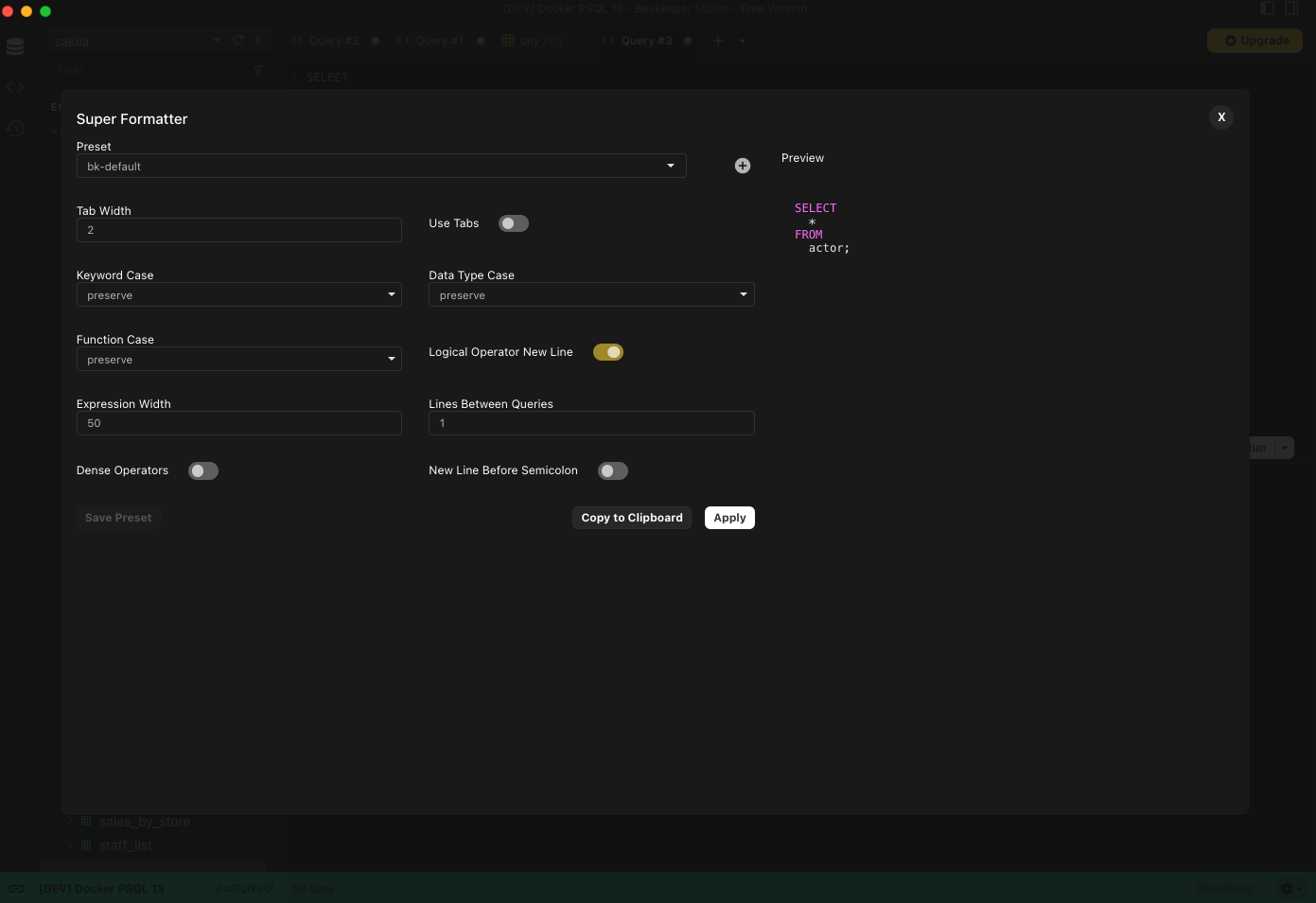
Built-in Presets
- bk-default (default)
- pgFormatter
- prettier-sql
Update Default Preset
You can set the default formatter for your queries using the Beekeeper Studio configuration system. Out of the box this will be bk-default.
[ui.queryEditor]
defaultFormatter = bk-default
How to Format Queries
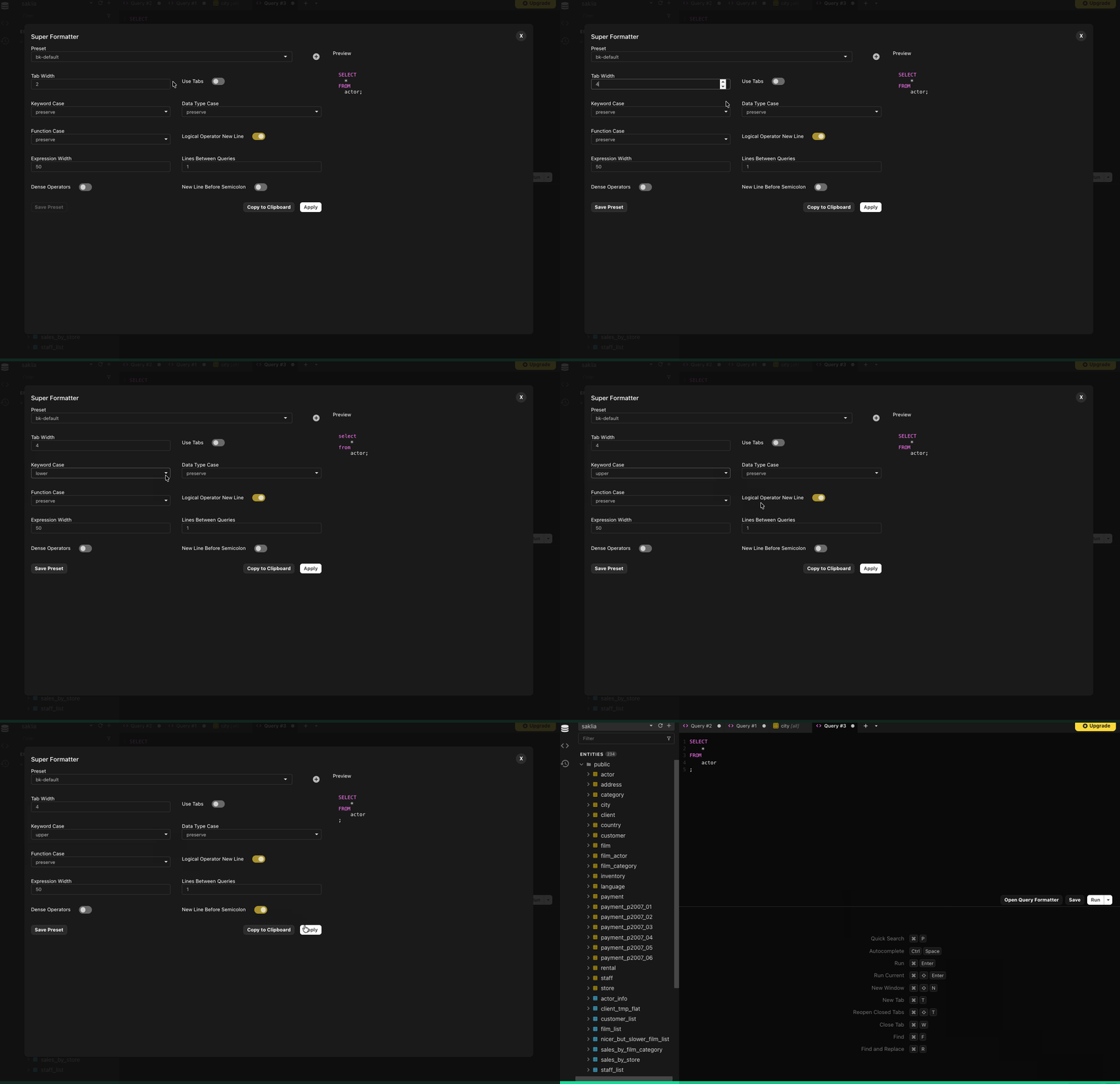
- Open the SQL Query Formatter
- Select a preset from the dropdown to use as a base
- Select options and ensure settings are as you want from the preview to the right
- Click Apply
Note, applying doesn't save these settings to the selected preset.
How to Save a Preset
Follow the instructions for formatting a query, but instead of clicking Apply, click Save Preset
Note: Saving doesn't automatically apply the updates. Click Apply for the settings to be applied to your query.
Creating a New Preset
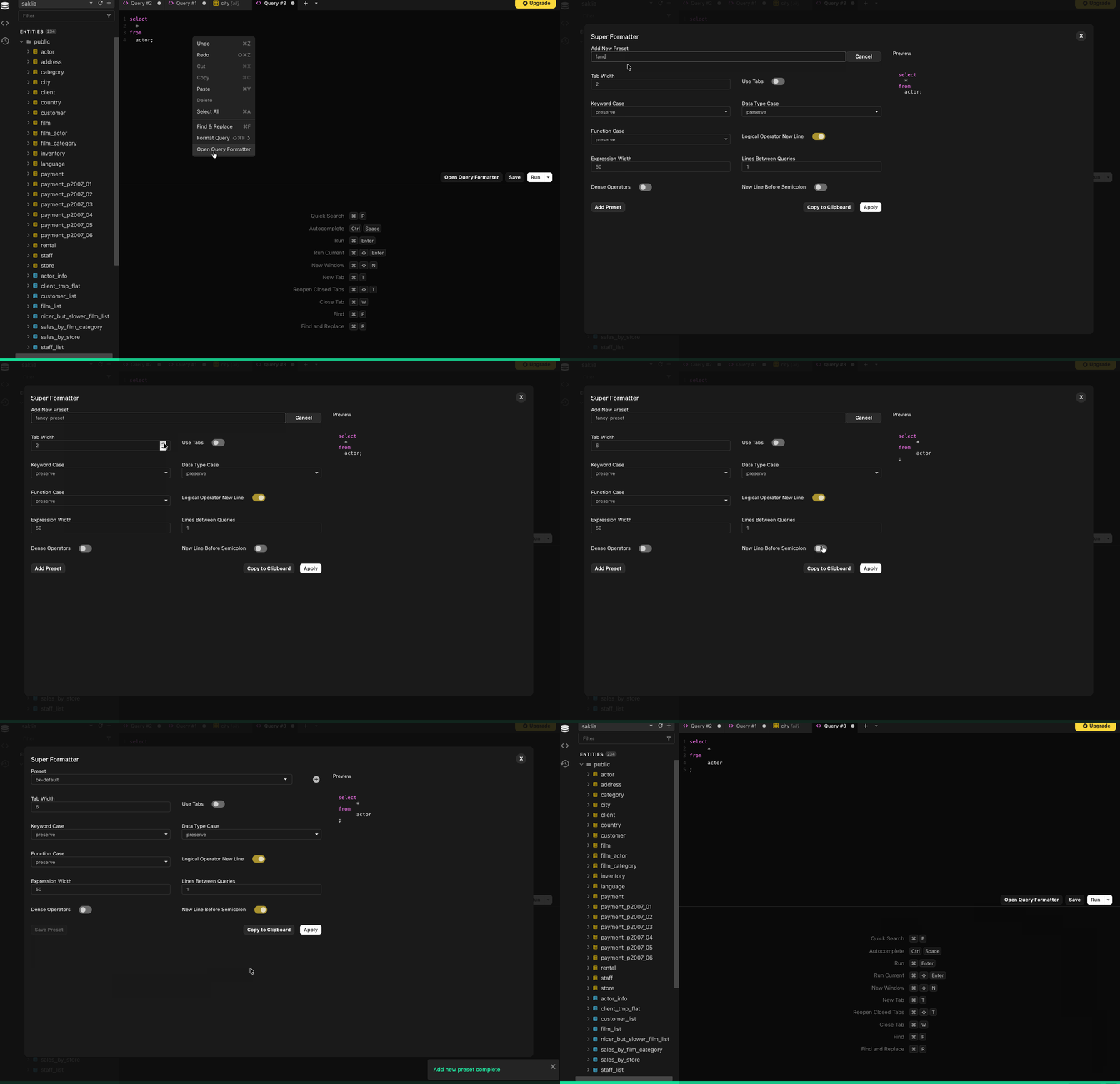
- Open the SQL Query Formatter
- Select a preset from the dropdown to use as a base
- Click the + button next to the presets dropdown
- Enter a name for the format (must be a unique name)
- Select options and ensure settings are as you want from the preview to the right
- Click Save Preset
Note: To apply the preset to your SQL, click Apply.
Delete a Preset
- Open the SQL Query Formatter
- Select the preset from the dropdown that you want to delete
- Click the Delete Config button next
Note: The 3 built-in presets cannot be deleted. They can be edited though.
Format Queries Using Presets
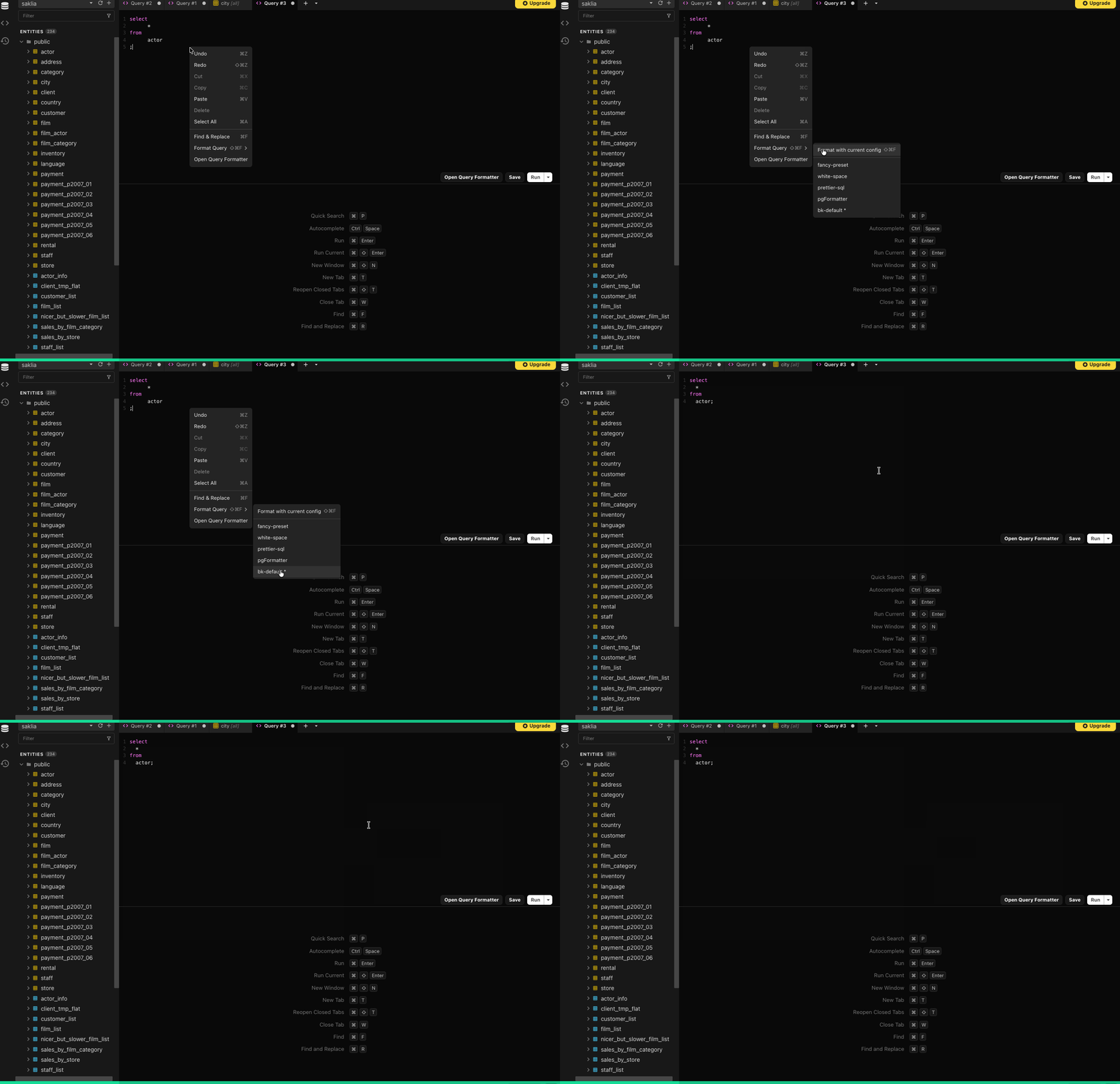
- Right click in your editor window
- Hover over Format Query
- Select a preset from your saved presets.